

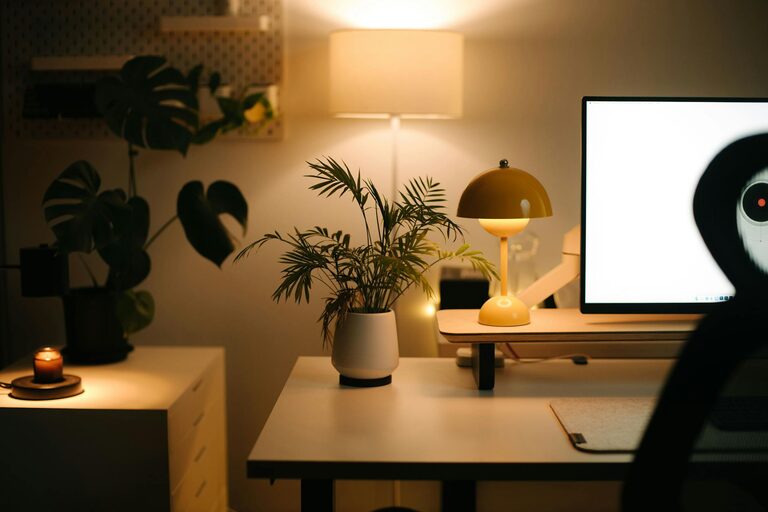
Creating a home office that is both cozy and productive can significantly enhance your work-from-home experience. Whether you’re a full-time remote worker or just need a dedicated space for occasional tasks, designing an environment that encourages focus and comfort is key. Below, we explore practical tips and ideas to help you transform any corner of your home into an inviting workspace.
Why a Cozy and Productive Home Office Matters
Working from home comes with unique challenges, like distractions and the blurring of work-life boundaries. A well-designed workspace can increase concentration, reduce stress, and even improve your mood. Comfort helps you stay focused longer, while a neat, organized space minimizes interruptions.
—
Choosing the Right Location for Your Workspace
Consider Natural Light
Pick a spot with plenty of natural light if possible. Sunlight can boost your mood and energy, and reduce eye strain. Try situating your desk near a window without direct glare on your screen.
Minimize Distractions
Choose a quiet area away from high-traffic spaces like the kitchen or living room. If space is limited, consider using room dividers or noise-cancelling headphones.
—
Ergonomics: Comfort Meets Function
Invest in a Good Chair
A supportive chair is essential for long work sessions. Look for adjustable height, lumbar support, and comfy padding.
Desk Setup
Your desk height should allow your arms to rest comfortably with elbows at about a 90-degree angle. Keep your monitor at eye level to avoid neck strain.
—
Creating a Cozy Atmosphere
Add Personal Touches
Items that spark joy can make your workspace feel welcoming. Photos, plants, or artwork can brighten up the room.
Soft Textiles
Consider a soft rug, cushions, or a throw blanket for added warmth and comfort, especially if your office has hard floors.
Lighting Options
Alongside natural light, use layered lighting. A desk lamp with adjustable brightness helps for late-night work without harsh overhead lights.
—
Organizing for Productivity
Declutter Regularly
Keep only essential items on your desk to maintain focus. Use storage solutions like shelves, drawers, or boxes to neatly store other items.
Use a Planner or Digital Tools
Planning your day helps avoid feeling overwhelmed. Physical planners or apps can keep your tasks in order and your workflow smooth.
—
Technology and Connectivity Tips
Reliable Internet
Ensure your internet connection is strong to avoid interruptions. Position your router close or use a wired connection for stability.
Cable Management
Keep cables tidy with clips, sleeves, or under-desk trays. A neat workspace helps reduce visual distractions.
—
Maintaining Work-Life Balance in Your Home Office
Define Your Work Hours
Set specific times to start and end work. This routine helps keep personal and work time separate.
Take Breaks
Stand, stretch, or step outside regularly to stay energized and focused throughout the day.
—
Final Thoughts
Designing a cozy and productive home office doesn’t have to be complicated or costly. Focus on comfort, organization, and personal touches to create a space where you can work efficiently and enjoyably. Start small by adjusting one area, then gradually improve your setup until it perfectly suits your needs.
With these tips, your home office can become a place you look forward to working in every day.
More Stories