
Creating a home office that is both comfortable and productive is essential for anyone working from home. A well-designed workspace can enhance focus, reduce stress, and improve overall work satisfaction. Whether you have a dedicated room or a small corner, these tips will help you set up a home office tailored to your needs.
Choose the Right Location
Consider Natural Light
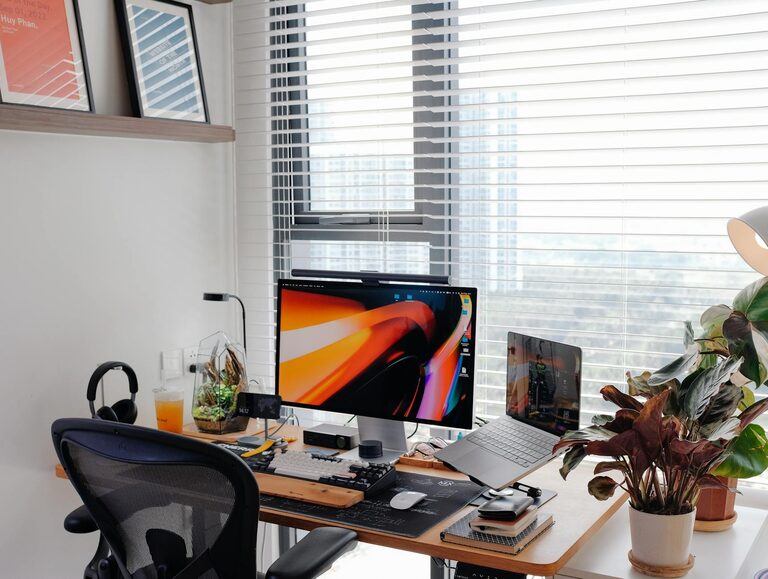
Pick a spot with plenty of natural light. Sunlight can elevate your mood and reduce eyestrain. Position your desk near a window if possible, but avoid glare on your computer screen by using blinds or curtains.
Minimize Distractions
Select a quiet area away from heavy household traffic. This allows you to concentrate better and minimizes interruptions during work hours.
Invest in Ergonomic Furniture
Comfortable Chair
A supportive chair is key. Look for adjustable features, good lumbar support, and cushioning to keep your back comfortable during long hours.
Proper Desk Height
Ensure your desk is at a comfortable height. It should allow your arms to rest at a 90-degree angle while typing, helping to avoid strain.
Organize Your Space Efficiently
Declutter Regularly
Keep only the essentials on your desk. Clutter can reduce productivity and increase stress. Use storage solutions like shelves, drawers, or filing cabinets to keep things tidy.
Use Cable Management
Tangled cables not only look messy but can also be frustrating. Use clips, sleeves, or cable boxes to organize wires neatly.
Optimize Technology Setup
Reliable Equipment
Invest in a good computer, monitor, keyboard, and mouse suited to your work tasks. Ergonomic peripherals can reduce hand and wrist strain.
Fast Internet Connection
Ensure your internet connection is strong and stable to avoid interruptions during virtual meetings or uploads.
Personalize Your Environment
Add Plants
Indoor plants can improve air quality and create a calming atmosphere. Choose low-maintenance varieties if you’re new to gardening.
Use Inspirational Decor
Include objects that motivate you, such as artwork, quotes, or photos. These small touches can make your space more inviting.
Maintain Good Lighting
Combine Natural and Artificial Light
Supplement natural light with adjustable desk lamps to avoid eye fatigue when working in the early morning or late evening.
Avoid Harsh Lighting
Soft, warm light sources reduce glare and create a comfortable ambiance for extended work periods.
Set Boundaries and Establish Routine
Define Work Hours
Treat your home office as a professional space. Having clear work hours helps maintain work-life balance.
Use a Dedicated Workspace
Avoid working from your bed or couch to help your brain associate the office area with productivity.
Incorporate Movement and Breaks
Take Regular Breaks
Short breaks every hour to stretch or walk can boost focus and reduce stiffness.
Have Space for Movement
If possible, include an area for standing or doing light exercises to stay active.
Maintain Good Air Quality and Temperature
Ventilation
Proper airflow is important. Open windows when possible or use air purifiers.
Comfortable Temperature
Keep the room at a comfortable temperature to avoid distractions caused by being too hot or cold.
—
Setting up a home office that suits your needs can make working from home a more enjoyable and productive experience. By choosing the right location, investing in ergonomic furniture, keeping your space organized, and adding personal touches, you create an environment that supports success and well-being. Take your time refining your workspace, and don’t hesitate to adjust as your needs evolve.
More Stories
Tips for Creating a Cozy and Inviting Home Workspace
Tips for Creating a Relaxing and Productive Home Office Environment
Tips for Creating a Cozy and Inviting Home Workspace