

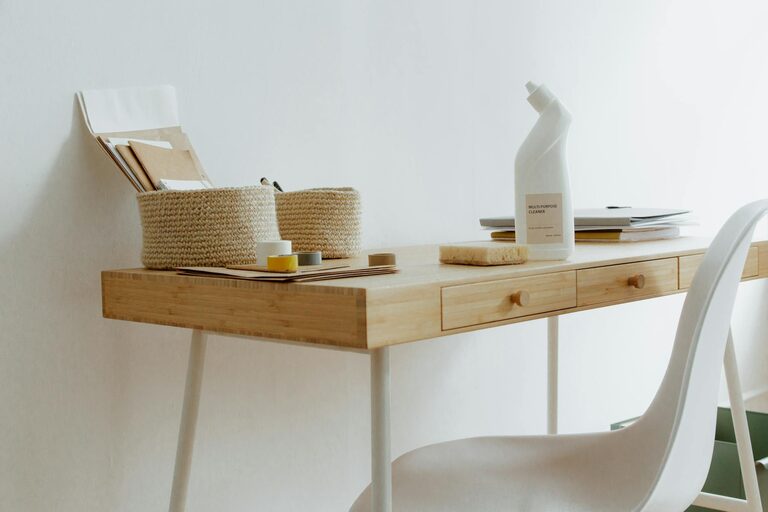
Creating an organized home office is key to maintaining focus and boosting productivity while working from home. A cluttered or chaotic workspace can lead to distractions and stress, making it harder to complete tasks efficiently. Fortunately, simple changes and organizational strategies can transform your home office into a pleasant and productive area. In this post, we’ll explore practical tips to help you organize your home office and cultivate an environment where you can work with ease and focus.
Why Organize Your Home Office?
An organized workspace helps you:
– Reduce distractions and clutter
– Find important documents and tools quickly
– Create a calming environment that supports focus
– Develop a routine and stay motivated
– Improve your overall work-life balance
Whether you have a dedicated room or a small corner, organizing your home office is within reach.
1. Choose the Right Location for Your Home Office
Selecting a suitable place is the first step. Ideally, your home office should be:
– Quiet and free from foot traffic
– Well-lit with natural or task lighting
– Spacious enough to fit essential equipment comfortably
– Separated from your personal living space to maintain boundaries
If space is limited, a small desk in the corner of a quiet room can work well.
2. Declutter Your Workspace
Before adding new organizational tools, clear out unnecessary items. Decluttering includes:
– Tossing or recycling items you no longer use
– Sorting papers into “keep,” “file,” and “discard” piles
– Minimizing personal items to only a few that inspire or relax you
Keeping your desk surface as clear as possible improves focus and reduces stress.
3. Use Storage Solutions Wisely
Smart storage helps maintain order. Consider these ideas:
– Drawer Organizers: Keep stationery, cables, and small items separated and easy to find.
– Shelving Units: Store books, manuals, and boxes of supplies. Vertical storage saves space.
– Filing Systems: Use labeled folders or file boxes to organize important documents by category.
– Storage Bins and Boxes: Keep extras or seasonal items out of sight but accessible.
Choose storage solutions that fit your space and style.
4. Establish Zones Within Your Office
Dividing your workspace by function helps you stay organized and efficient. Examples of zones:
– Work Zone: Your desk, computer, and daily tools
– Reference Zone: Books, manuals, and frequently used documents
– Supply Zone: Stationery, printer paper, and office supplies
– In-and-Out Zone: Mail, pending tasks, and items to file or process
Labeling areas or containers keeps items in their place and saves time searching.
5. Manage Cables and Electronics
Tangled cords add clutter and frustration. Try these tips:
– Use cable clips or ties to secure cords neatly behind your desk
– Label cords for easy identification
– Consider wireless devices where possible
– Organize charging stations in one area to avoid scattered cables
A clean desk surface with controlled cables enhances neatness and safety.
6. Personalize Your Workspace Mindfully
A pleasant workspace can boost motivation and mood. Ideas include:
– A small plant for greenery and fresh air
– Photos or art that inspire or relax you
– Comfortable chair and ergonomic accessories
– Proper lighting to reduce eye strain
Remember to keep personal items minimal to avoid distractions.
7. Create a Daily and Weekly Routine
Organization is an ongoing process. Develop habits such as:
– Ending each day by tidying your desk
– Filing documents regularly instead of letting piles build up
– Scheduling time weekly to reorganize and restock supplies
Consistent maintenance prevents clutter from returning.
8. Use Digital Tools to Reduce Paper Clutter
Paper documents can quickly overwhelm your space. Consider:
– Scanning important papers and storing them digitally
– Using cloud storage services for easy access and backup
– Organizing digital files into labeled folders and categories
Reducing physical documents frees up space and makes searching faster.
9. Optimize Your Desk Layout for Productivity
Arrange items on your desk based on use:
– Keep your keyboard, mouse, and computer monitor ergonomically placed
– Position frequently used items like pen, notepad, or phone within arm’s reach
– Use desk organizers or trays to keep items neat but accessible
An efficient layout reduces time spent reaching or searching.
Final Thoughts
Organizing your home office doesn’t have to be overwhelming. Taking small, manageable steps can lead to a more efficient, peaceful, and motivating environment. By choosing the right location, decluttering regularly, using smart storage, creating zones, and developing good habits, you will set yourself up for success in your daily work.
Start today with one or two tips, and gradually build the ideal home office that suits your needs and boosts your productivity.
Happy organizing!

More Stories